One password can expose several services
A password that was reused, guessed or leaked may be tried against business email, cloud services and other accounts.
Cyber recovery guidance for organisations
If your business email, Microsoft 365, website, device or online account has been compromised, start with clear steps to protect people, payments and evidence. Then coordinate recovery with your IT or cyber support provider.
Quick answer
Do not treat a business compromise as a simple password reset. First secure the work email or company sign-in that can reset access to other apps. Use a separate trusted device, pause suspicious payments, preserve alerts and logs, and get advice before wiping devices or deleting evidence.
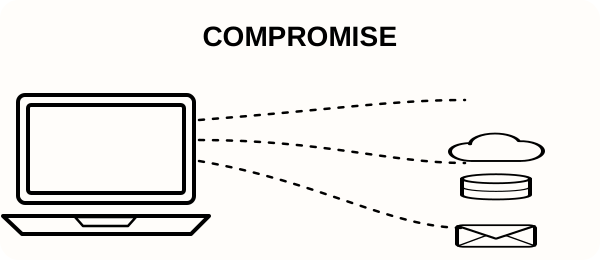
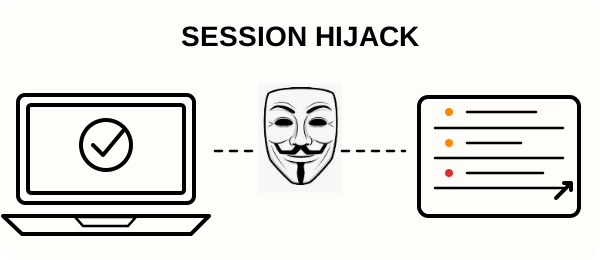
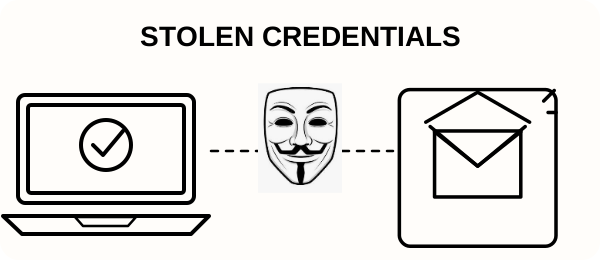
An incident does not always look obviously suspicious. Strong passwords, MFA and security software reduce risk, but no single measure removes every route an attacker may use.
A password that was reused, guessed or leaked may be tried against business email, cloud services and other accounts.
Multi-factor authentication matters, but a stolen authenticated session may still be reused. Review active sessions and sign-in activity too.
Protection helps block known malicious activity, but new threats may not be identified straight away. Patching and account protection still matter.
Unexpected sign-in links, urgent requests and changes to payment details deserve verification through a known contact route.
A compromised mailbox can be used to watch customer, supplier and invoice conversations before an attacker acts.
A clear business recovery flow
The right response depends on what happened. These initial steps help limit further harm while you arrange appropriate technical support.
Separate affected devices from the network where appropriate. Note what happened, when it began and which people or systems may be involved.
Many businesses use one work email address for app sign-ups and password-reset links. Secure that inbox first from a separate trusted device: verify recovery details and MFA methods, sign out unknown sessions, and check forwarding rules. If apps use a shared company sign-in, secure that account too. Then request resets through the apps’ official recovery pages.
Keep alerts, messages, timestamps and logs. Work with your IT or cyber provider to restore safe access and address the route used.
Use the step-by-step first 30 minutes guide to see what to secure, what to preserve and what to avoid.
Open the recovery checklistCould this be a scam?
Slow down when a message asks you to share a code, install software, open a sign-in link or change payment details.
Pause the payment and verify the change using a known phone number, not the contact details in the message.
Do not approve a request or share a code you did not initiate. Tell your IT provider through a trusted channel.
Confirm unusual requests with the person through a separate, established communication method.
Avoid the email link. Open the service through a saved bookmark or type its address yourself.
Do not install remote access software or share control unless you have independently verified who is asking.
Be cautious of unsolicited recovery promises, especially if they ask for passwords, security codes or upfront payment.
If any of this sounds familiar, use a trusted device and follow the business recovery checklist.
Trusted official help
Use official recovery pages and reporting services alongside your incident response. If money may be at risk, contact your bank using a trusted number.
Use the provider’s own recovery route. Never give a password or security code to someone who contacts you first.
Use a separate trusted device, identify which accounts or systems may be affected, pause suspicious payments and preserve alerts or logs. Contact your IT provider through a trusted route.
Yes. Reused passwords, mailbox access, administrator permissions and stolen sign-in sessions can expose more than one service.
Do not rush to wipe or delete. Preserve useful information and ask your IT or cyber support provider to help identify the access route.
This site provides practical first steps and recovery guidance. Your existing IT provider or a qualified cyber incident response service should handle technical investigation and recovery.
Pause the payment and verify the request through a known telephone number or separate communication route before transferring money.
MFA reduces risk, but it cannot prevent every attack. Review active sessions, recovery details, mailbox rules and unexpected app access as well.
About Been Hacked Fix for Business
Been Hacked Fix for Business helps organisations take sensible first steps after compromised email, Microsoft 365, websites, devices and online accounts. The service is operated by IT Life-Raft, a UK-based IT support and cyber recovery business.